
On Admin → Pay Type, manage how employees are paid.
Office-X supports exactly two payment structures — Salary and Hourly — and both are pre-loaded for your company by default. Pay Type isn’t a free-text list you can name however you like that every entry must be either “salary” or “hourly”, and your company can only ever have one of each. Use this page to remove whichever one your company doesn’t use, or re-add it later if your policy changes.
Add Pay Type #
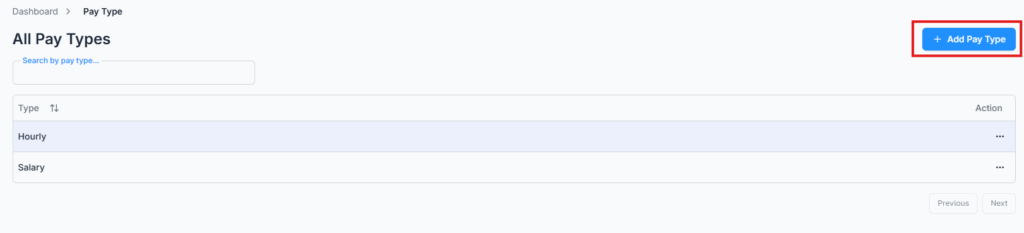
Click Add Pay Type and pick Salary or Hourly. Since both are already created for you when your company is set up, you’ll typically only use this if you previously deleted one and need to bring it back — trying to add one that already exists is rejected.
Edit & Delete Pay Type #
You can switch an existing entry between Salary and Hourly, or delete it entirely from the Action menu.
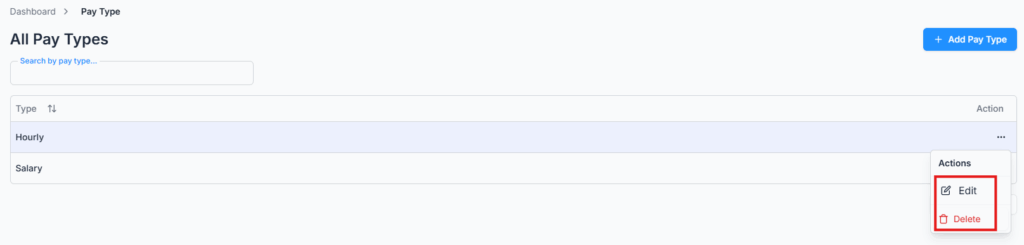
Note: A pay type can’t be deleted while it’s still in use. If any employee is currently assigned to it, deletion is blocked with a message telling you why — reassign that employee to the other pay type first.
Only the pay types that exist on this page appear as options when defining employee payment preferences — so if you delete “Hourly” here, it won’t be selectable when adding or editing an employee.