
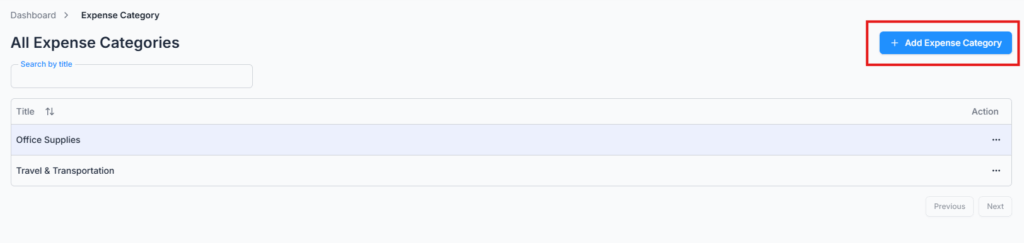
On Admin → Expense Category, set up predefined expense categories to streamline billing and reimbursement. Your company starts with two categories already set up — Travel & Transportation and Office Supplies — and you can add as many more as you need.
More examples: Office Supplies, Client Meeting, Travel, Internet Bill, etc.
When employees submit a bill request, selecting a category is required — they must pick one of these predefined categories, ensuring consistent tracking and reporting.
Add Expense Category #
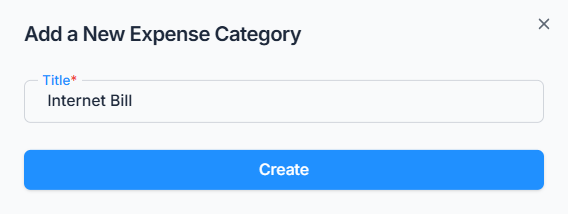
Click Add Expense Category and enter a name (up to 30 characters, and it must be unique within your company).
Edit & Delete Expense Category #
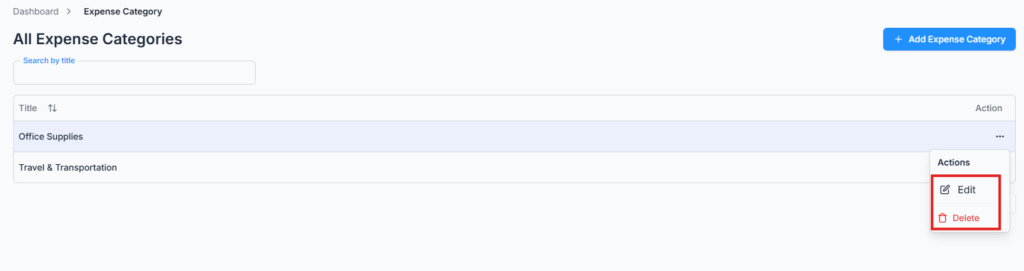
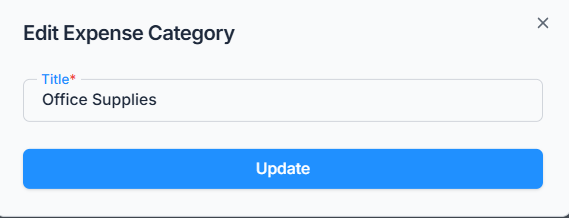
Use the Action menu to rename a category or delete it.
Note: A category can’t be deleted while it’s still used in any bill. If it is, deletion is blocked with a message telling you why.