
On Admin → Benefits, define the names of company-provided benefits for employees. A benefit here is just a title — the actual amount is set individually for each employee when the benefit is assigned to them, so the same benefit can be a different amount for different employees.
Your company starts with two benefits already set up — Health Allowance and Transportation Allowance — and you can add as many more as you need. Some examples:
- Health Insurance
- Travel Allowance
- Internet or Phone Allowance
You can add, update, or remove benefits anytime. During employee onboarding — or later, from an employee’s add/edit form — these benefits appear for assignment, where you set the amount for that specific employee.
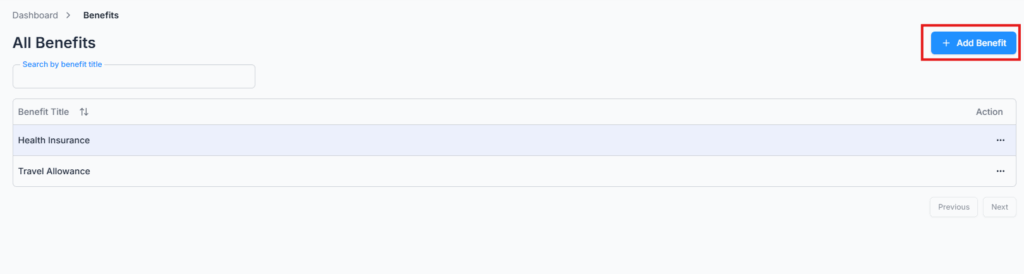
Add Benefit #
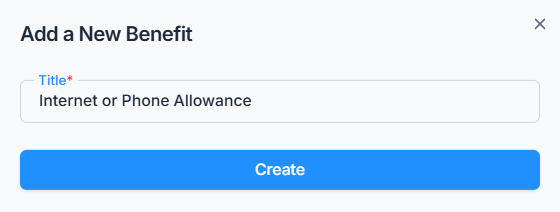
Click Add Benefit and enter a title (up to 30 characters, and it must be unique within your company).
Edit & Delete Benefit #
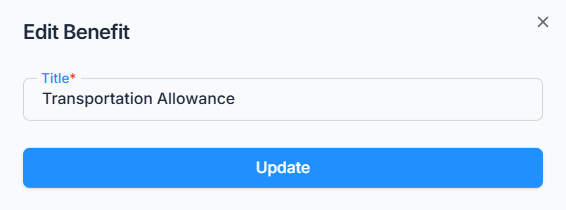
Use the Action menu to rename a benefit or delete it.
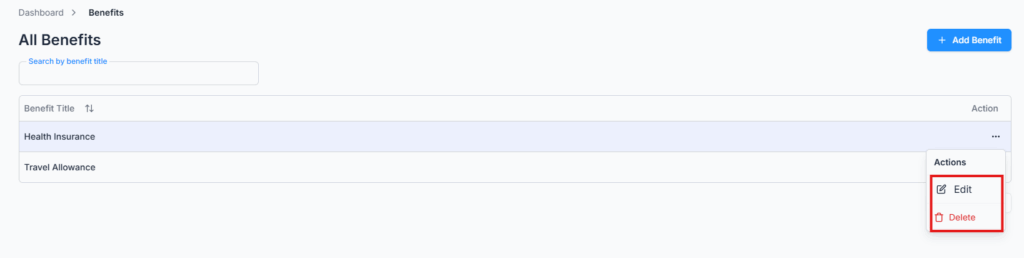
Note: A benefit can’t be deleted while it’s still assigned to any employee. If it is, deletion is blocked with a message telling you why — remove it from that employee’s benefits first.