On Admin → Forms, store and manage frequently used office documents that employees often need to print or access — such as:
- Bank Deposit Form
- Employee Reimbursement Form
- Leave Application Template
The page is titled All Forms, with a search box to find a form by name. Each form is shown as its own card with the form name, a preview button that opens the PDF in a popup, and a download button — anyone with access to this page (tenant admins, or employees granted the Forms permission) can preview and download, while only those with the right to create, edit, or delete can manage the list.
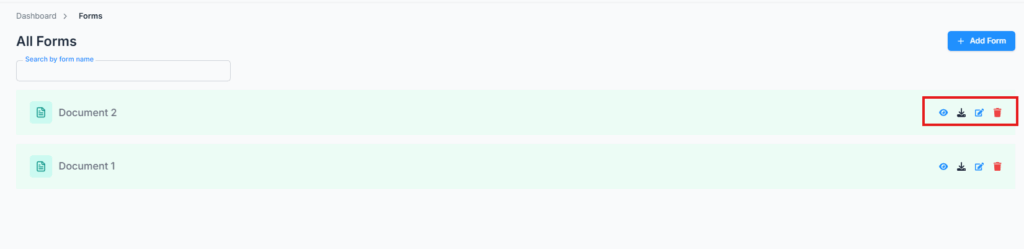
This keeps all critical workplace forms easily accessible and organized.
Add Form #
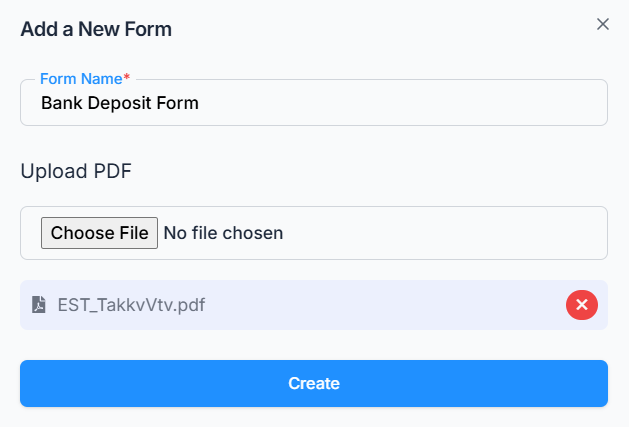
Click Add Form and provide:
- Form Name — required, up to 30 characters, and must be unique within your company.
- File — required; PDF only, up to 2 MB.
Edit & Delete Form #
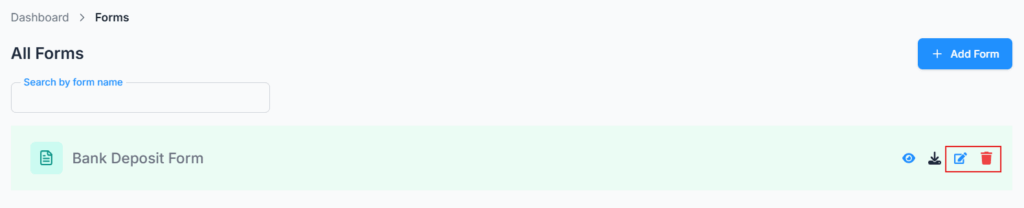
Use the edit and delete icons on a form’s card to rename it, replace its PDF file (same 2 MB limit applies), or remove it entirely. Unlike most other Admin list pages, deleting a form here has no “in use” check — it’s removed immediately along with its file, with just a confirmation prompt.