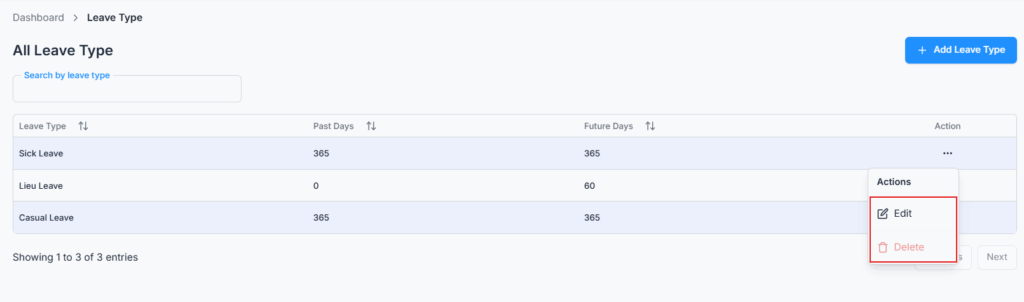
On Admin → Leave Type, customize all types of leave according to company policy — such as Casual Leave, Sick Leave, Maternity Leave, or Annual Leave. Your company starts with three leave types already set up: Casual Leave, Sick Leave, and Lieu Leave — you can add as many more as you like.
These types are later reflected in the employee’s Leave Quota section and during leave request or approval.
Lieu Leave is seeded by default and is used to define which employees are eligible for compensatory (lieu) leave.
Configuration Rules
- Past & Future Days: Set how far back or forward leave can be applied for this type, from 0 up to 365 days each (e.g., 30 days past/future — the default for Casual and Sick Leave).
- Lieu Leave: Cannot be deleted; only Future Days can be edited — its Past Days value is locked and the Delete option is disabled for this type specifically.
- Casual Leave and Sick Leave: Also cannot be deleted or renamed — the Delete option is grayed out and the name field is locked in the edit form, the same protection Lieu Leave gets. Their Past and Future Days can still be edited freely.
- Any leave type still in use cannot be deleted either. If it’s part of any employee’s leave quota, or used in an existing leave request/record, deletion is blocked with a message explaining why.
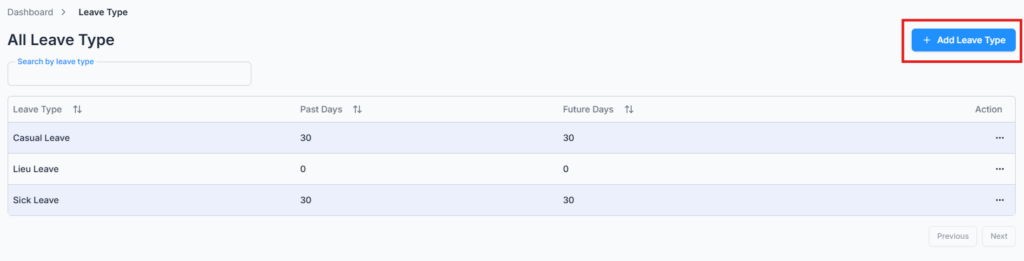
Add Leave Type #
Click Add Leave Type and enter a name (up to 30 characters) along with Past Days and Future Days.
Edit & Delete Leave Type #
Use the Action menu to edit a leave type’s name and day limits, or delete it. For Lieu Leave, the Past Days field is hidden in the edit form and the Delete option is grayed out, since that type follows special rules. For Casual Leave and Sick Leave, the name field is locked and the Delete option is grayed out too — but unlike Lieu Leave, their day limits stay fully editable.