
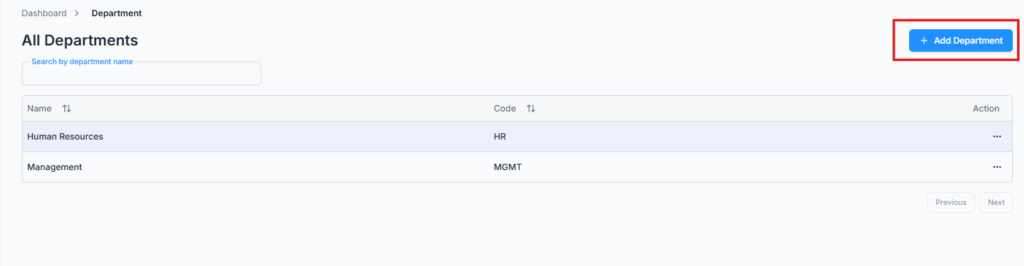
On Admin → Department, your company starts with two default departments — Human Resources (HR) and Management (MGMT) — but you can add, edit, or delete any department to match your organization’s structure.
Add Department #
Click Add Department and fill in:
- Department Name — required, up to 30 characters, and must be unique within your company.
- Department Code — required, up to 30 characters, and must also be unique within your company.
Edit & Delete Department #
The department table lists Name and Code for every department, with a search box to find one by name. Use the Action menu on any row to Edit its name/code or Delete it.
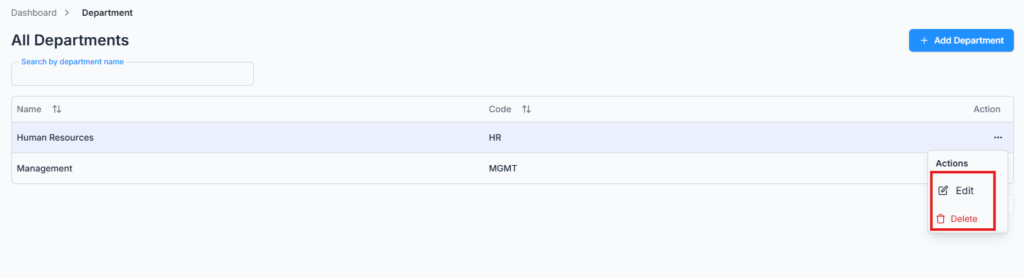
Note: A department can’t be deleted while it’s still in use. If any employee or designation is currently assigned to it, deletion is blocked with a message telling you why — remove or reassign that employee/designation first.
When adding a new employee (or designation), these departments automatically appear in the department dropdown for quick assignment.