
The Create Purchase Request module lets employees request equipment, supplies, or services for company purchase, and lets authorized users submit requests on someone else’s behalf.
This module helps ensure purchase requests are submitted with the right details and routed through your company’s approval process before anything is bought.
Related Setup and Navigation #
Before employees submit purchase requests, admins should make sure the following is set up.
- Currency Setup
Route: Dashboard → Admin → Currency
Used to configure which currencies are available on the purchase form, and which one is the default. - Permission Setup
Route: Dashboard → Admin → Permission → Employee Permission / Team Permission
Used to assign purchase-related permissions, such as creating requests for yourself or on behalf of others, editing, deleting, viewing, approving, or rejecting purchase requests. Please check the Permissions Management guide for a better understanding. - Approval Flow Setup
Route: Dashboard → Admin → Approval Flows
Used to configure single-step or multi-step approval workflows for purchase requests. Please check the Approval Flows (Workflow Management) for a better understanding. - Create Purchase Request
Route: Dashboard → Purchase → Create Purchase Request
Used by employees to submit purchase requests for themselves, or by permitted users to submit requests on behalf of other employees.
Who Can Use This Feature #
Subscriber Admin can create a purchase request for any employee in the company, at any time, without needing any specific permission.
Employees need permission even to submit a purchase request for themselves — this isn’t automatic just from being an employee. Submitting a purchase request on behalf of someone else requires a separate permission on top of that.
Permission Behavior #
Two permissions control who can create a purchase request at all, and for whom:
- Create Purchase Request (For Own)
Required action: Create
Required just to submit a purchase request for yourself. Without this, the Create Purchase Request option won’t appear at all — not even to request something for yourself. - Create Purchase Request (For All)
Required action: Create
Shows the Request For field in the Create Purchase Request form, letting you pick another employee and submit the request on their behalf instead of your own. This is on top of, not instead of, Create Purchase Request (For Own).
Without Create Purchase Request (For All), the Request For field doesn’t appear, and the form can only submit a purchase request for yourself (assuming you hold Create Purchase Request (For Own)).
Good to know: Subscriber Admin never needs Create Purchase Request (For Own) or Create Purchase Request (For All) — those requirements only apply to regular employees. Either way, the employee being submitted for must be an active, licensed employee — you can’t submit a purchase request on behalf of someone who’s inactive or without a license.
Good to know: these creation permissions only control creating a purchase request (for yourself or on someone’s behalf) — they have no effect on editing or deleting one afterward. Editing and deleting a request created on behalf of someone else are each controlled by their own separate permission (Edit Purchase Request (For On Behalf), Delete Purchase Request (For On Behalf)), covered later in this guide.
Beyond creating a purchase request, several other permissions control the rest of the purchase lifecycle, each covered in the section of this guide (or a related guide) where that action is explained:
- Edit Purchase Request (For Own) / Edit Purchase Request (For On Behalf) — see Edit Purchase Request below.
- Delete Purchase Request (For Own) / Delete Purchase Request (For On Behalf) — see Delete Purchase Request below.
- View Purchase Request Details — lets someone open and view a purchase request’s full details even if they’re not the requester, an approver, or the Subscriber Admin.
- View All Purchase Requests (Route Access) — grants access to the company-wide purchase list; see the View All Purchase Requests guide.
- Approve Purchase Request (For All) / Reject Purchase Request (For All) — see the Approve & Reject Purchase Requests guide.
All of these permissions can be assigned directly to an employee, or to an entire team at once (so everyone on that team inherits them). See the Permissions Management guide for how to assign permissions.
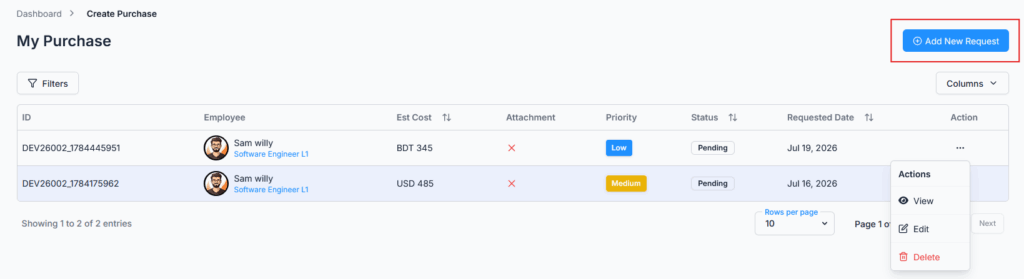
Create Purchase Request Form #
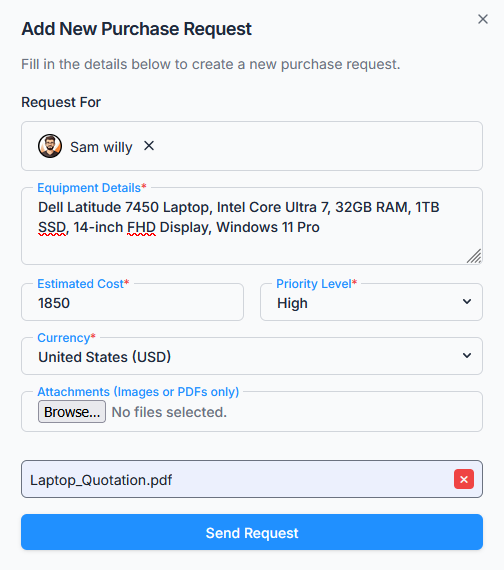
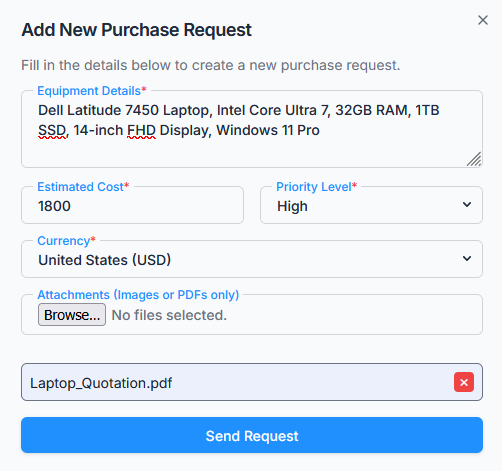
The form includes the following fields:
- Request For
Appears only for users with Create Purchase Request (For All) permission (or the Subscriber Admin). Used to select another employee when creating a request on their behalf. - Equipment Details
Describe the item or service to purchase. Limited to 1000 characters. - Estimated Cost
The expected cost for the request. Must be greater than zero, and can’t exceed 9,999,999. - Priority Level
Select the priority: Low, Medium, or High. - Currency
Select the applicable currency, from the currencies configured under Dashboard → Admin → Currency. Defaults to your company’s default currency, but can be changed per request. - Attachments
Upload supporting documents such as quotations, images, or PDFs — up to 5 per request. - Send Request
Submits the purchase request for approval.
Tip: Admins or authorized employees can create requests for multiple employees, making it easier to manage procurement across teams.
Approval Flow Assignment #
If your organization has an approval flow configured for purchase requests (from Dashboard → Admin → Approval Flows), every submission follows that workflow before final approval. The applicable flow is chosen based on the employee, their team, gender, department, or designation — the same criteria used for other approval-based modules in Office-X.
If no approval flow applies to that employee, the purchase request is still created and saved as Pending, but simply waits on the Subscriber Admin — no other approver can act on it until a flow is set up to cover that employee.
The step-by-step mechanics of approving/rejecting a purchase request work the same way as leave, bill, and travel requests do — only the final step’s approval sets the request to Approved, a rejection at any step ends it immediately, and the Subscriber Admin can always act on whichever step is currently pending. See the Approve & Reject Purchase Requests guide for the full walkthrough.
What Happens After Submission? #
After a purchase request is submitted successfully:
- The purchase request status becomes Pending.
- If an approval flow applies, the first step’s approver(s) are notified (in-app and/or by email, depending on how that step is configured). If no flow applies, the Subscriber Admin is notified instead.
- The employee whose request it is always receives a confirmation email, separately from whatever goes to approvers.
- The purchase request appears in the employee’s purchase request list.
Action Options (Permission-Based) #
All actions are controlled by user permissions:
Edit Purchase Request #
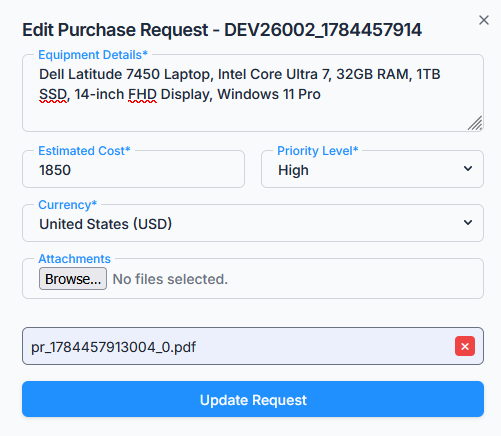
A purchase request can be edited only while its status is Pending. Approved or rejected purchase requests cannot be edited.
- Subscriber Admin can edit any pending purchase request in the company.
- Users with Edit Purchase Request (For Own) permission can edit their own pending purchase requests.
- Users with Edit Purchase Request (For On Behalf) permission can edit a pending purchase request only if they personally created it on that employee’s behalf in the first place — not just any employee’s request.
When editing, you can add or remove attachments, still capped at 5 in total.
Delete Purchase Request #
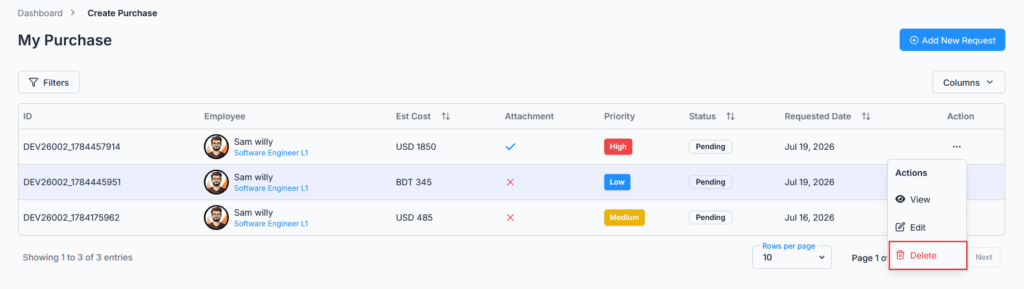
A purchase request can be deleted only while its status is Pending. Approved or rejected purchase requests cannot be deleted.
- Subscriber Admin can delete any pending purchase request in the company.
- Users with Delete Purchase Request (For Own) permission can delete their own pending purchase requests.
- Users with Delete Purchase Request (For On Behalf) permission can delete a pending purchase request only if they personally created it on that employee’s behalf in the first place — same rule as editing.
Deleting a purchase request also removes its uploaded attachments and any comments (along with their attachments) on that request.
View Purchase Request #
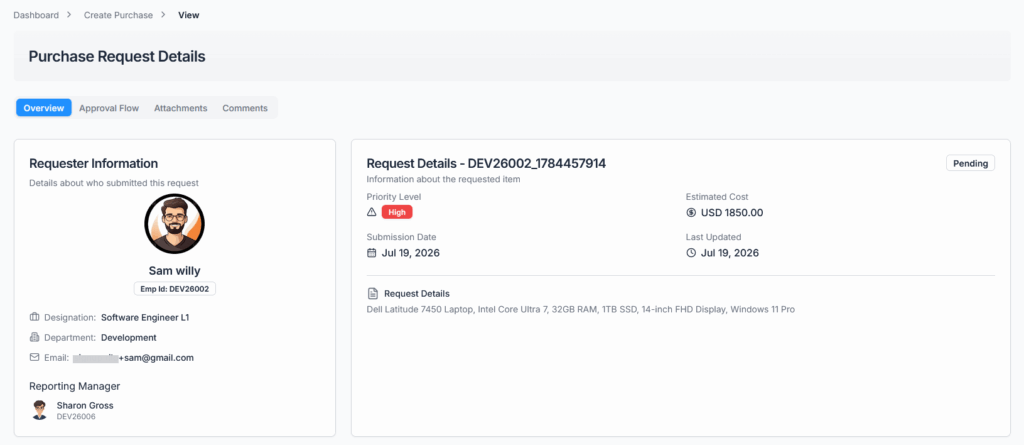
Users with the required access can open the purchase request’s details page to review the full information — request details, attachments, approval flow, and comments.
Comments #
Users can use comments to communicate with approvers or the Subscriber Admin — to ask for clarification, provide additional information, or explain a decision — with up to 5 file attachments per comment.
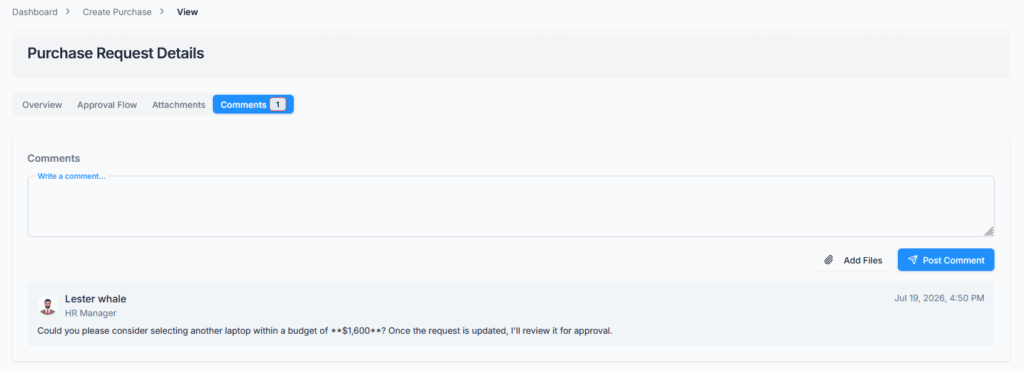
Who can comment: the requester, the requester’s reporting manager, the Subscriber Admin, any approver named in the purchase request’s approval flow, or anyone holding View Purchase Request Details permission.
How long you can comment: only while the purchase request is still Pending. As soon as it becomes Approved or Rejected, commenting closes — comments made while it was still pending remain visible afterward.
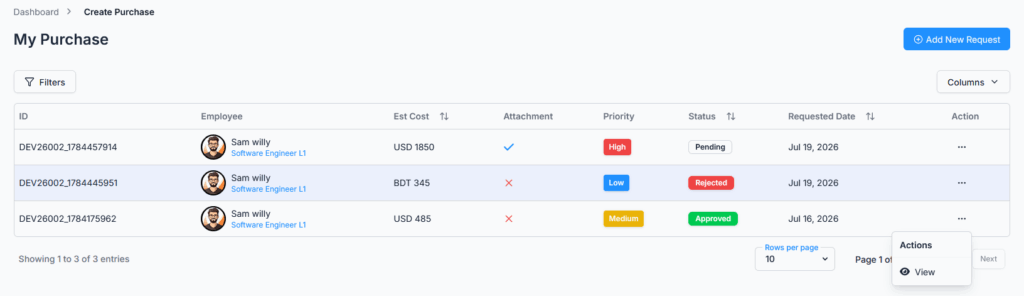
Approved or rejected purchase requests cannot be edited or deleted.
Summary #
The Create Purchase Request module allows employees to submit requests efficiently while maintaining traceability, control, and compliance. Permission-based access — including the base permission just to create a request for yourself — ensures that managers or HR can create requests on behalf of others when required. Pending requests can be edited, deleted, or commented on based on permission, while approved and rejected requests are protected from further changes.
Note: If your organization has an approval workflow configured for purchase requests, all submissions will follow the defined workflow before final approval — see the Approve & Reject Purchase Requests guide for exactly how that works.