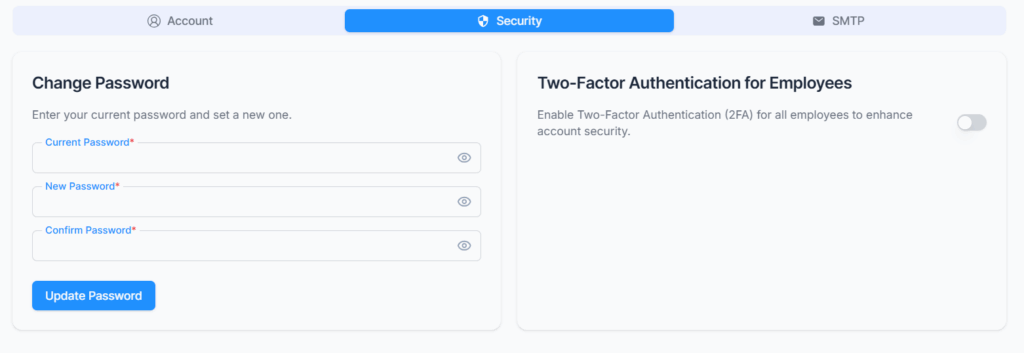
On Settings → Security, manage account protection features including password updates and two-factor authentication requirements for employees
The Security section allows you to update your account password and enables administrators to enforce Two-Factor Authentication (2FA) for employee logins. These features help ensure that only authorized users can access the system and that accounts remain protected.
Reset Password #
You can change your password by providing your current password, entering a new password, and confirming the new password. The system will update the password only after the current password is verified and the new password and confirmation match.
Two-Factor Authentication (2FA) for Employees #
Administrators can enforce Two-Factor Authentication for all employees using a toggle option.
- When enabled by the administrator, all employees are required to complete 2FA verification during login and cannot disable it from their individual settings.
- When disabled by the administrator, employees who have permission to access the 2FA settings route can choose to enable or disable 2FA individually.
- In this case, the login verification requirement depends on the employee’s personal 2FA setting.