
The Change Status modal is accessed via the Action Menu of the Employee Table under the Employees route. This page allows admins and permitted users to update an employee’s current status quickly and efficiently. Until seat assign Change status option does not show.
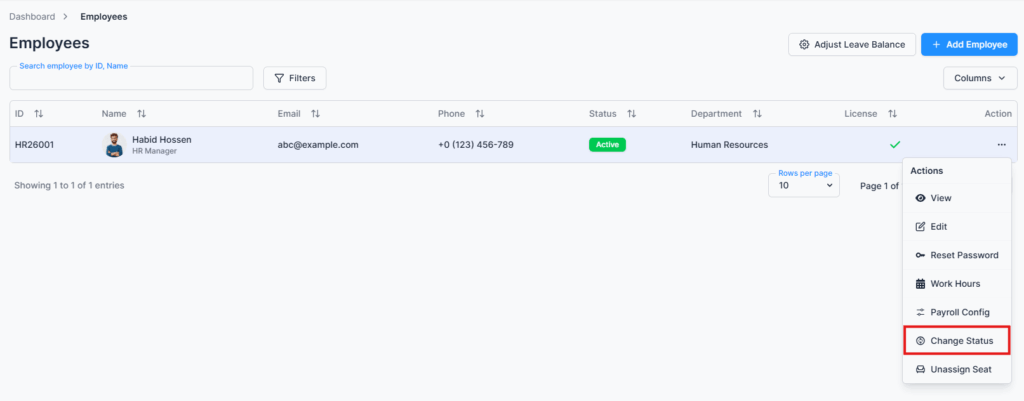
Overview #
You can change an employee’s status based on the options defined in Admin → Employment Status. Common examples include Active, Inactive, On Leave, or Suspended.
Additionally, you can now add a status note whenever you update the employee’s status. This note can include important context or reasons for the change, ensuring that all updates are well-documented and transparent.
Key Features #
- Update employee status quickly
- Add a status note for reference or documentation purposes
- Ensure that all changes are recorded and visible for auditing or reporting
Summary #
The Change Status page enables admins and permitted users to efficiently manage employee employment states while documenting the reason or context for any change using the status note.