
Complete access control for every user and team
The Permissions Module in Office-X is where you control who can access what within the system. Whether you’re managing a single employee or an entire team, this module ensures that every action from viewing to editing is securely permission-based.
You can manage permissions in two powerful ways:
- Employee Permissions – assign feature-level access to individual users.
- Team Permissions – assign feature-level access to entire teams for easier management.
Employee Permissions #
Assign feature-wise and action-level permissions to specific employees.
Here’s how it works:
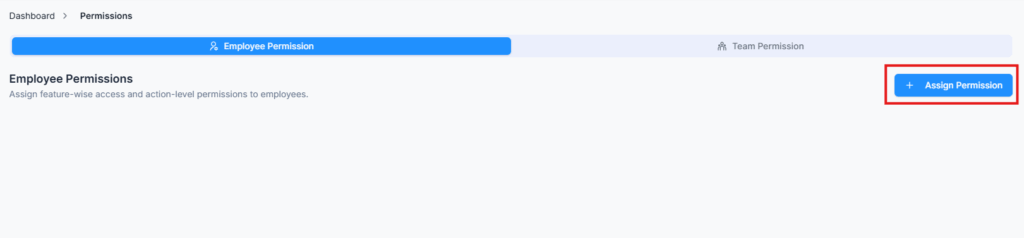
- Search Employee: Enter the employee’s name or email to find the person you want to configur
- Feature List: Once selected, you’ll see a complete list of all features available in the system — such as Admin, Support, Currency, Leave Type, etc.
- Expand a Feature: Click on any feature to expand it and view its related sub-features and available actions.
- Action Controls: For each feature or sub-feature, you can toggle permissions for:
- Create, View, Update, Delete
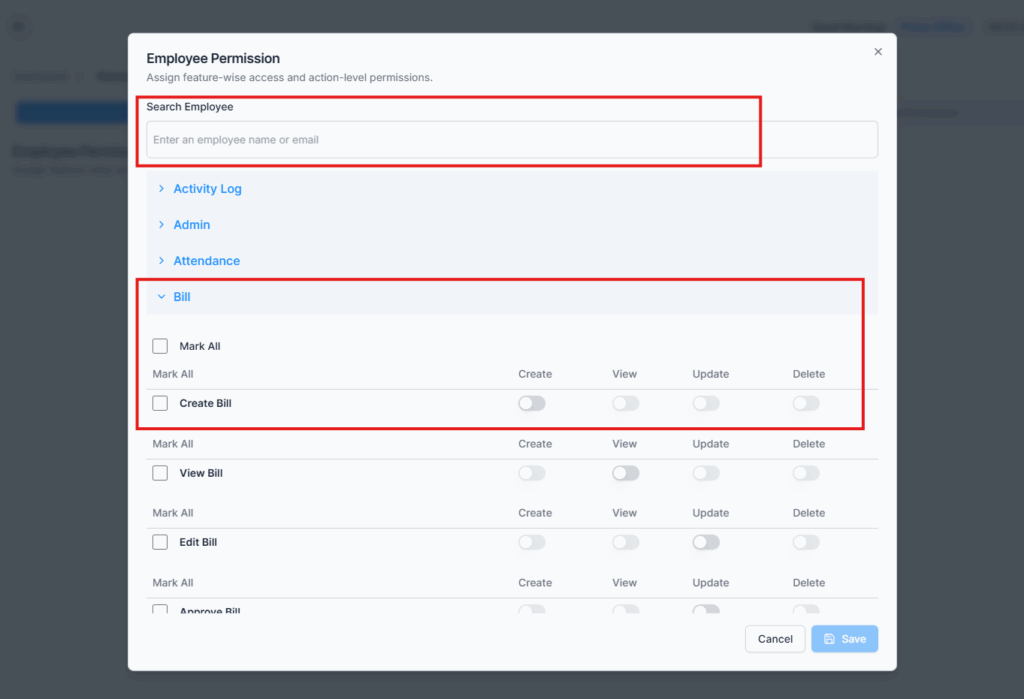
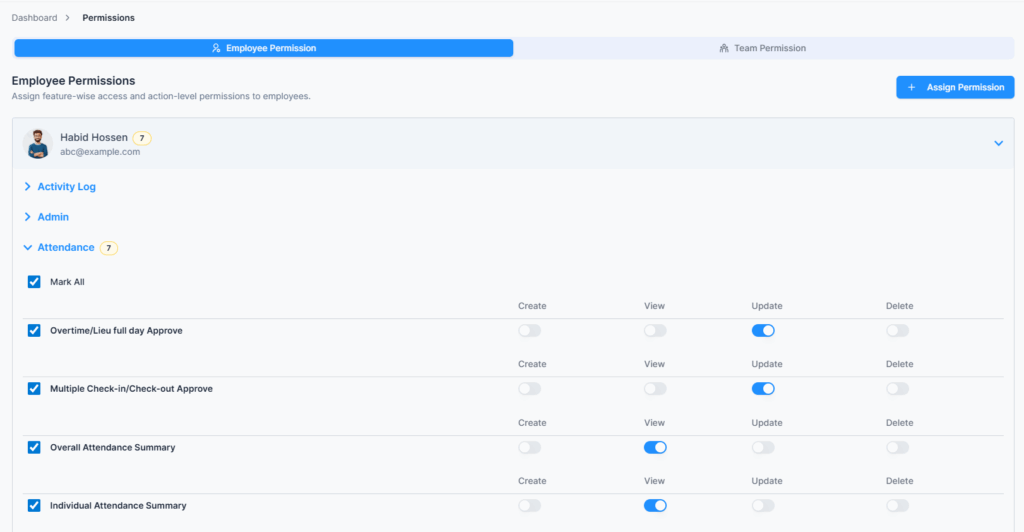
- Save Permissions: After you’ve assigned access, click Save to apply changes. The employee will immediately gain access to the selected operations.
- Edit Anytime: You can revisit and modify these permissions anytime as the organization grows or roles change.
Team Permissions #
Assign access to an entire team in one go.
This section works almost the same as Employee Permissions, but instead of searching for an individual employee, you’ll search by team name.
(Teams are created under Admin → All Teams.)
Here’s the process:
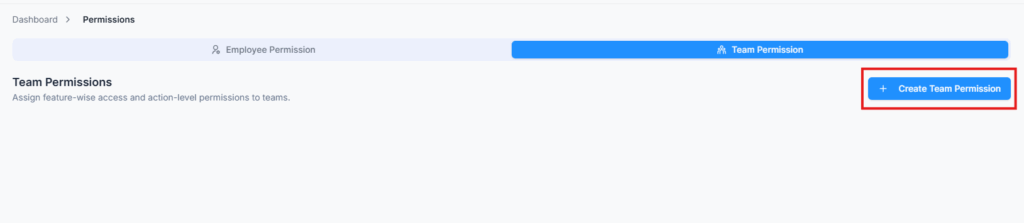
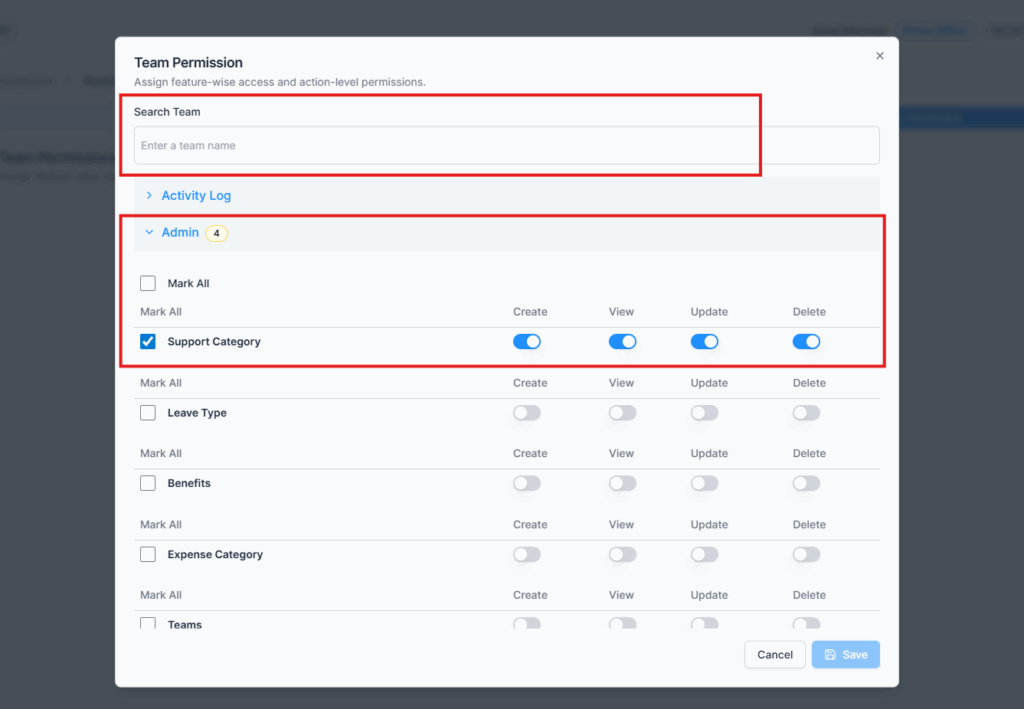
- Search Team: Enter the team’s name (e.g., HR Team, Sales Team, IT Department, etc.).
- Select Features: Just like employee permissions, expand the features and enable or disable actions (Create, View, Update, Delete) using toggles or “Mark All.”
- Save: Once saved, every member of that team will automatically inherit the same permissions.
- Dynamic Access Control:
- When a new employee joins and is assigned to that team, they instantly receive the same permissions.
- If someone is removed from the team, their access is revoked automatically.
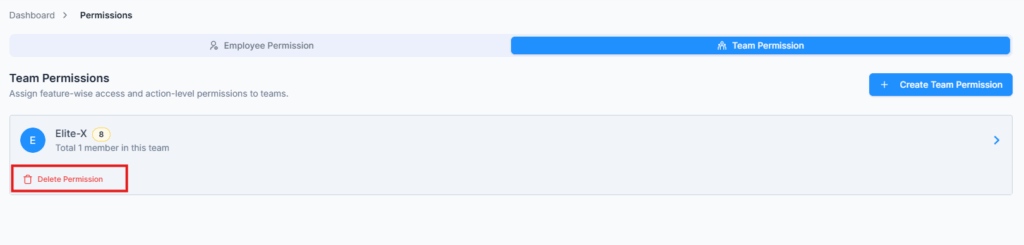
- Delete Team Permissions – You can remove all permissions assigned to a team at once. Doing so revokes access for all team members, while keeping individual employee permissions intact if separately configured.
This saves time, ensures consistency, and prevents access gaps especially in large organizations.
Summary #
The Permissions Module gives you centralized control over access and security across the entire platform.
Whether you’re granting individual privileges or team-wide permissions, Office-X ensures every operation is handled safely, flexibly, and transparently.