
Default Seat on Registration #
When your company first registers on Office-X, one seat is automatically purchased for the company representative.
This allows you to access and explore all features right away without additional setup.
Understanding Seat Billing #
Let’s say you purchase the Basic Plan (Small Business) for $10/year per user on October 21, 2025.
Here’s how the billing process works:
- You’ll enjoy a 30-day free trial immediately after registration.
- When the trial ends, billing begins — and any remaining partial days before the next full billing cycle are pro-rated.
- Example: For 10 remaining days, the charge might be $0.27.
- Your annual renewal payment will then process automatically on December 1, 2025, covering a full year of service.
This ensures you only pay for the exact days you use, with no hidden costs.
Buying Additional Seats #
When you add more employees, each of them needs a seat to log in and use Office-X.
You can purchase additional seats anytime from the Billing & Payment page.
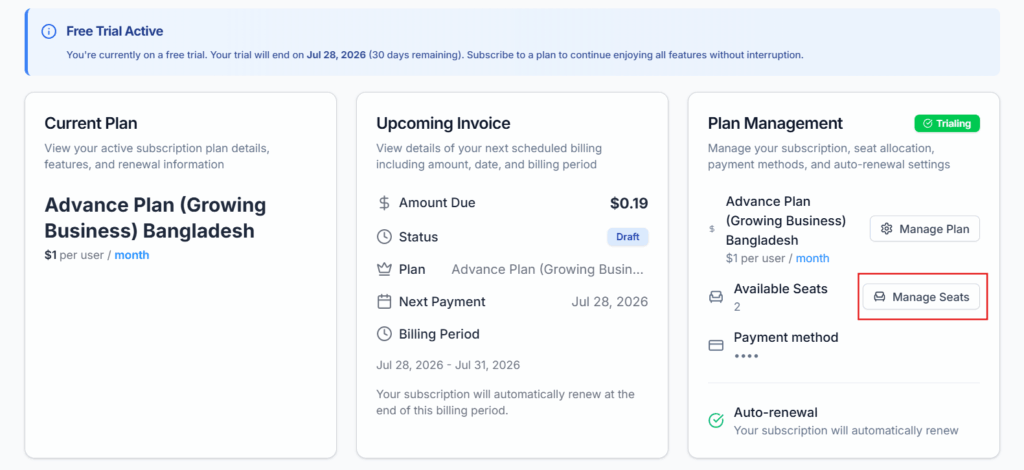
Once you buy a new seat:
- The charge will be pro-rated from the date of purchase.
- Each seat’s billing period aligns with your main plan’s renewal cycle.
- You’ll see all seat details, renewal dates, and plan settings in your dashboard.
This gives you complete flexibility — you only pay for what you use and can scale your team whenever needed.
Pro-rated means you pay only for the portion you use.
Example:
- Monthly plan: $12/month
- You join on the 10th of a 30-day month → you use 20 days
- Pro-rated charge: $12 × 20/30 = $8
So, you don’t pay the full $12, only for what you use.
Seat Management in Office-X #
Adding Employees Without Seats #
You can add employees to your company anytime, even if you haven’t purchased seats for them yet.
- Important: Employees without assigned seats cannot log in or perform any operations.
- Their profiles are saved, and all default data is stored, so you can assign them a seat anytime later.
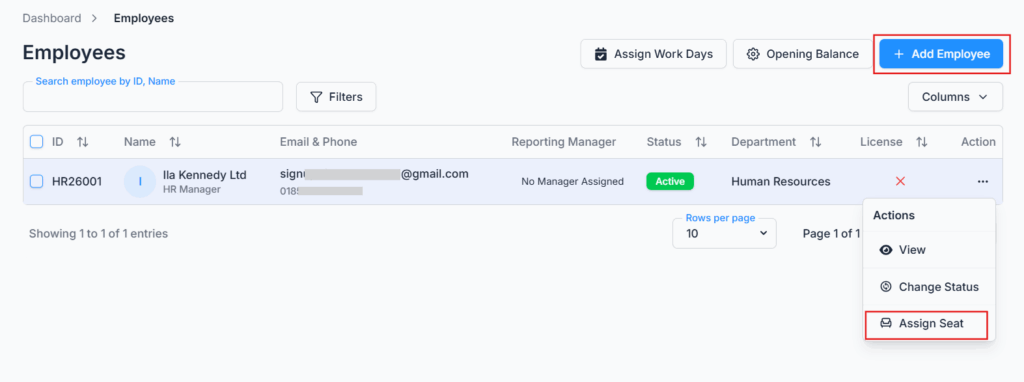
Assigning & Unassigning Seats #
Let’s say you initially start with 10 employees and assign seats to all.
- Later, if 2 employees leave, you can unassign their seats.
- Pro Tip: Unassigning a seat does not cancel your subscription.
- The unassigned seats are now free and can be assigned to new employees anytime.
It’s that simple — manage your team flexibly without losing control.
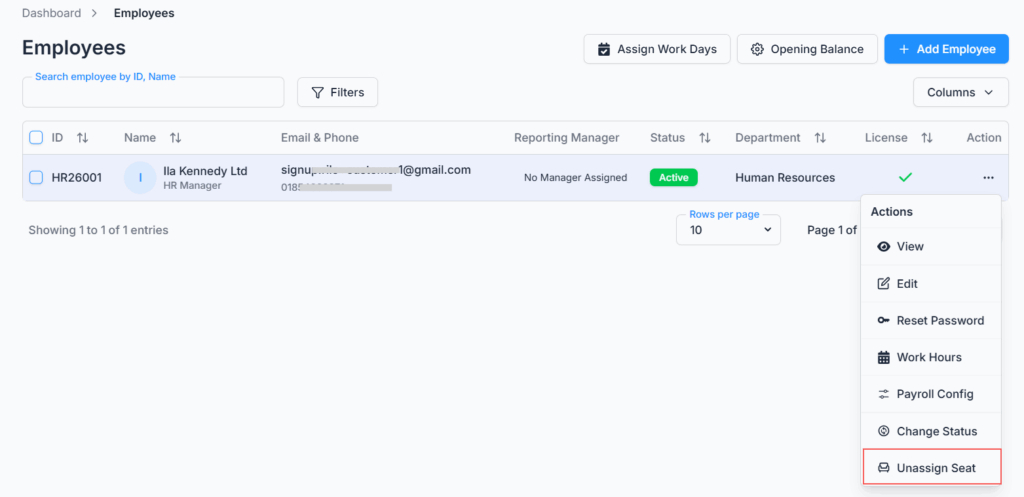
Canceling Seats #
If you want to permanently reduce your subscription seats:
- Go to Billing & Payment → Plan Management → Manage Seats.
- Reduce the number of seats as needed.
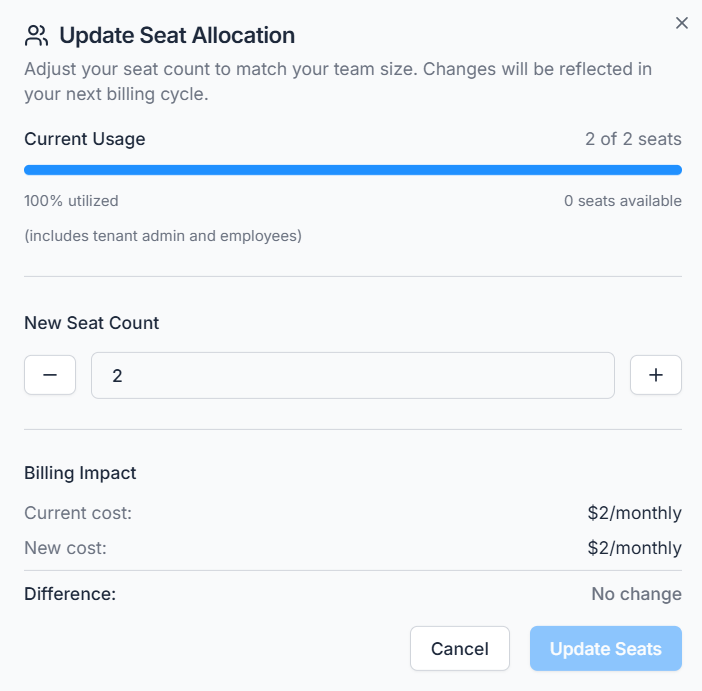
What happens next:
- You’ll retain access to the seat until the next billing date.
- After that, the canceled seat will be removed automatically.
Important:
- Employees whose seats are unassigned or canceled cannot log in, but their previous data and activity history remain intact.
- This means you can always preserve records, reports, and performance history even if the employee is no longer active.
In Summary #
- 1 seat is auto created for your company representative.
- Free 30-day trial for all new accounts.
- After trial ends, charges begin — pro-rated for partial days.
- Additional seats can be added at any time and are billed on a prorated basis.
- Annual renewals process automatically based on your plan.
- Employees can be added anytime, even without seats.
- Seats can be assigned, unassigned, or canceled easily.
- Billing is adjusted only when seats are canceled or added.
- Employee history is always preserved, ensuring data integrity.